Stay connected: follow us on LinkedIn and explore more at
www.CherryHillAdvisory.com.


.svg)
Subscribe now to join the Risk Register community:

Source: VAST Data (press release)
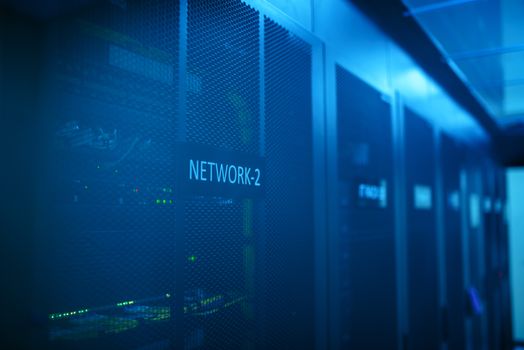
Summary: VAST Data introduced DataEnclave as a confidential AI capability inside its VAST DataEngine. Using NVIDIA Confidential Computing with attestation and key‑release sequences, DataEnclave lets enterprises run third‑party or proprietary AI models against sensitive data within tenant‑controlled infrastructure. Models are managed as logical resources alongside data, with runtime protections and ecosystem support from model, cloud, security and hardware partners. For internal audit, it creates a way to execute AI‑assisted reviews and analytics on restricted datasets without moving them, reducing data‑exfiltration exposure and tightening compliance with internal control and data handling policies.
How Internal Audit Can Deploy This: Treat DataEnclave as a governed enclave for model‑assisted audit work where data cannot leave custodial boundaries. Prioritize audits with high confidentiality needs: payroll, M&A files, legal holds, and ICFR evidence stores. Practical use cases: 1) Evidence review at scale: run a document‑classification or redaction model over workpaper repositories to surface contracts missing required clauses or artifacts that contain unmasked PII before filing. 2) Full‑population analytics: score journal entries or vendor payments with a third‑party anomaly model entirely in‑place to inform risk assessment and audit planning. 3) Continuous monitoring: periodically re‑run models against sensitive logs or case files to flag emerging risks without replicating data to external AI services. Pilot steps this quarter: align with the storage/platform owner of VAST DataEngine; pick one contained dataset (e.g., AP extract and related invoices) and a vetted model; configure attestation and key‑release so model decryption occurs only inside a verified enclave; run a small batch, compare findings to prior manual testing, and decide go/no‑go for scale. Safeguards: enforce tenant‑controlled access (least privilege to inputs/outputs); disable outbound network egress for runtime except what governance approves; retain attestation evidence and runtime logs in the workpapers; require a human reviewer to validate model flags before issue creation; and align usage with the organization’s AI governance policy (purpose limitation, approved models, retention, and rollback).
✎ Try it yourself — Build recipe
Build recipe: Confidential AI evidence review in VAST DataEnclave

1) Trigger and scope
- Trigger: quarterly ICFR evidence hygiene check on sensitive repositories.
- Scope: one dataset stored on the VAST platform (e.g., AP extract and associated invoice images) and one approved model image for classification/redaction.

2) Environment and roles
- Coordinate with the VAST DataEngine owner to enable DataEnclave for your tenant.
- Define roles: Platform Admin (config), Audit Operator (job submit), Reviewer (results access).

3) Register the model as a managed resource
- Provide the model container/image digest and encryption details.
- Mark the model as “approved for enclave use.”

4) Attestation and key-release guardrail
- Require enclave attestation before any key is released.
- Configure key-release so decryption occurs only when the enclave measurement matches the attested profile.
- Set session keys to expire at job end.

5) Data access
- Grant read-only access from the enclave to the selected VAST namespace containing your data.
- Use your infrastructure controls to restrict outbound network egress during runtime.

6) Execute the job
- Submit a batch with: input path(s), model parameters, and desired outputs (e.g., classification labels, redaction coordinates).
- Ensure runtime protections are enabled per DataEnclave settings.

7) Output handling and evidence
- Write outputs to a separate, access-controlled namespace.
- Export a summary report only (no raw sensitive content) for the workpaper.
- Archive attestation reports and runtime logs as audit evidence.

8) Human approval gate and go/no-go
- Require Reviewer approval before results feed issues or the risk register.
- Go/no-go: proceed when sample reconciliation shows results align with manual testing and governance sign-off is recorded.
Source: Rocket Software (press release)
Summary: Rocket Software expanded Rocket EVA, its agentic AI platform for mission‑critical systems, with deeper integrations to mainframe and core operational systems. The update features conversational diagnostics, anomaly detection tied to historical baselines, OpenTelemetry (phase 1), and enhanced auditing capabilities. EVA aims to simplify access to operational and enterprise data while preserving governance and control. Supported platforms include AIX and Linux, with integrations to TMON Health AI and monitoring tools. A public beta runs from September 23 to November 4, 2026, targeting sectors such as financial services, government, insurance, retail, and telecom.
How Internal Audit Can Deploy This: EVA gives internal audit a governed path to interrogate mainframe and core systems without building custom connectors. Use it where operational risk and IT risk concentrate on legacy platforms. Three deployable workflows: 1) Continuous monitoring: leverage anomaly detection tied to historical baselines to surface out‑of‑pattern job runtimes, abends, or queue backlogs, routing exceptions to audit for follow‑up. 2) SOX ITGC spot checks: use conversational diagnostics to pull configuration states, access activity, and scheduling metadata during control testing, reducing cycle time to obtain evidence. 3) Incident post‑mortems: correlate OpenTelemetry (phase 1) signals with system events and monitoring data to reconstruct timelines and assess control effectiveness. Pilot this quarter by enrolling in the beta, partnering with the mainframe ops lead, and selecting one high‑value control (e.g., batch scheduling approval) and one reliability metric (e.g., failed jobs) with an available historical baseline. Configure EVA read‑only access, confirm data lineage with ops, and run a two‑week shakeout to validate signal quality. Safeguards: enforce least‑privilege and read‑only for audit agents; keep usage within governance features and enhanced auditing; document data sources and retain EVA audit logs in your workpapers; require human review of anomalies before issue creation; and align prompts/queries to the organization’s AI governance policy, explicitly prohibiting any change or command execution in production systems.
✎ Try it yourself — Agent skill
Agent skill: Internal Audit Diagnostics (Rocket EVA)

Role
- You are the Internal Audit Diagnostics Agent operating inside Rocket EVA with read-only access to mainframe and core system telemetry, logs, and configurations.

Available tools (read-only)
- EVA conversational diagnostics over integrated mainframe/core systems
- Anomaly detection using EVA’s historical baselines
- Telemetry via OpenTelemetry (phase 1) and integrated monitoring (e.g., TMON Health AI)

Procedure
1) Intake: Ask for the audit objective, target system(s), time window, and control ID (if applicable).
2) Baseline: Retrieve the relevant historical baseline from EVA for each selected metric.
3) Detection: Run anomaly detection against the specified window. Summarize deviations with timestamps and affected components.
4) Diagnostics: Use conversational diagnostics to extract supporting evidence (configs, job definitions, access entries) that explain anomalies.
5) Mapping: Link each finding to the stated control or operational risk.
6) Reporting: Produce a structured output and a concise narrative suitable for workpapers.

Hard constraints
- Read-only; do not execute any system changes or commands that alter state.
- No external sharing or data export outside EVA’s governed channels.
- Stop and escalate on access errors, missing baselines, or indications of security incidents.

Human escalation triggers
- High-severity anomalies (sustained deviations or recurring failures)
- Any configuration drift that could impair SOX ITGC

Output format (return both)
- JSON summary [{control_id, metric, baseline, observed, variance, time_window, evidence_refs}]
- Narrative (<=300 words) stating scope, data sources, baselines used, key anomalies, and next actions
Source: Alibaba Cloud (press release)
Summary: Alibaba Cloud detailed an Agentic Cloud strategy at its Apsara Conference, introducing AgentCore as an enterprise platform for managing AI agents with lifecycle governance, runtime context, and enterprise controls. The company described three layers—AI Native Cloud, Agent Native Cloud, and Context Engine—plus next‑generation CPFS storage and HPN 8.0 Pro AI networking. It also shared roadmap details for Qwen 4 training and global infrastructure expansion plans. For internal audit, AgentCore’s governance focus is the hook: a structured way to deploy and control audit agents across cloud‑native environments.
How Internal Audit Can Deploy This: Use AgentCore to move from ad‑hoc bots to governed audit agents with clear ownership and runtime boundaries—improving risk governance and repeatability. Three practical deployments: 1) Evidence collection: an agent pulls control artifacts (configs, logs, approvals) from cloud services on a schedule and deposits summaries for workpapers. 2) Continuous monitoring: an agent evaluates configuration drift against policy, updating the risk register with emerging risks. 3) Audit planning support: agents aggregate signals to inform risk assessment and scoping. Pilot this quarter: pick one control with high retrieval friction (e.g., change approval evidence), define the agent’s lifecycle (owner, purpose, review cadence), and constrain runtime context to the minimum APIs and datasets needed. In AgentCore, enable enterprise controls such as policy‑based permissions, runtime context isolation, and logging. Run for one cycle, compare outputs to manual procedures, and decide to scale or halt. Safeguards: enforce least‑privilege access; require a human approval gate before agents create issues or update workpapers; prohibit external sharing; store agent logs as audit evidence; and align with your AI governance policy on acceptable use, retention, and contingency plans. This provides traceable, governed automation without sacrificing control over operational risk.
✎ Try it yourself — Build recipe
Build recipe: AgentCore pilot for governed evidence collection

1) Trigger and objective
- Trigger: recurring control where evidence is slow to gather (e.g., access review attestations).
- Objective: a governed agent that collects evidence and produces a summary for workpapers.

2) Project setup in AgentCore
- Create an “Audit – Evidence Collection” project.
- Record lifecycle details: owner (audit), purpose, review cadence, decommission criteria.

3) Define runtime context
- Limit the agent’s context to required APIs/data only (e.g., ticketing system, config endpoints, object storage).
- Set rate limits and time windows to prevent over‑collection.

4) Enterprise controls
- Apply policy‑based permissions and role separation (builder vs operator vs reviewer).
- Enable comprehensive logging and retain logs for the audit file.

5) Data connections
- Configure read‑only connectors to targeted systems using service accounts.
- Store credentials in your approved secret store; do not embed secrets in prompts.

6) Task design
- Task: on schedule, fetch artifacts (tickets, approvals, configs), summarize changes, and list missing items.
- Require the agent to cite data sources and timestamps in every output.

7) Human approval gate
- Route the agent’s draft summary to an audit reviewer. Only upon approval can updates flow to the risk register or workpapers.

8) Test procedure and go/no-go
- Dry run over one period; reconcile output to manual collection.
- Go/no‑go: proceed if coverage and accuracy meet the audit lead’s criteria and governance sign‑offs are complete.
Disclaimer: This content is provided for general informational purposes only and does not constitute legal, accounting, tax, investment, or other professional advice. Portions were generated using AI tools from public web sources and may contain errors or omissions — verify important details against the primary sources linked above before relying on them. Any example prompts, scripts, templates, or other artifacts are provided “as is” without warranty of any kind, express or implied; test them on non-production data and apply your own professional judgement before use. Cherry Hill Advisory disclaims all liability for any loss or damage arising from the use of, or reliance on, this content or any artifact it contains.
Subscribe now to join the Risk Register community:
